
Before you can use SuanShu, you must have an IDE installed as well as the Java SE Development Kit (JDK). You can download the latest edition of the JDK from https://www.oracle.com/java/technologies/javase-jdk16-downloads.html . In this guide we will be using IntelliJ IDEA which can be downloaded from https://www.jetbrains.com/idea/download/ .
Download the source code
To download the SuanShu source code, view the GitHub repository at https://github.com/nmltd/suanshu and click the download code button > “Download ZIP”.
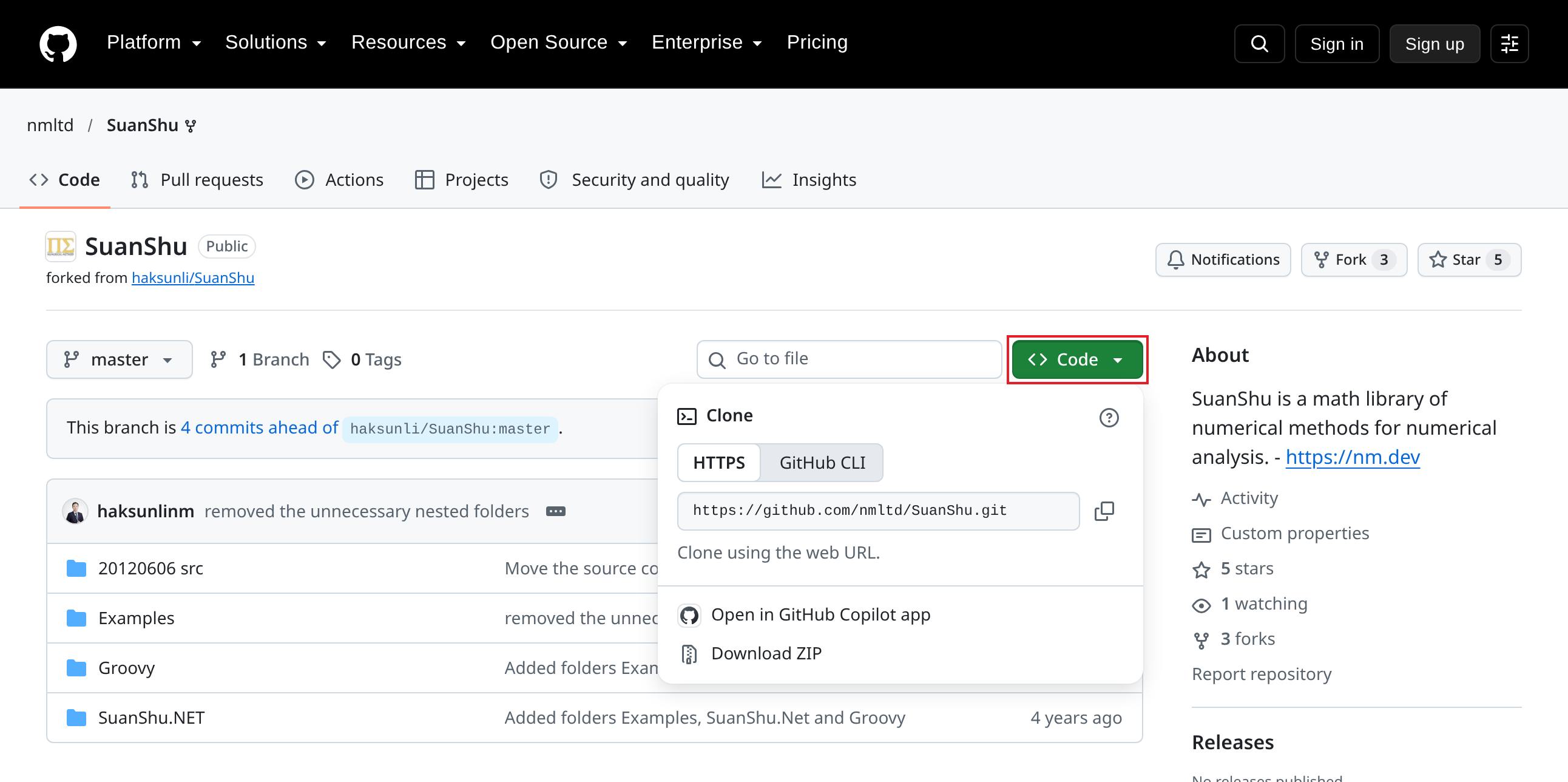
Next go to your downloads folder and click on the ‘SuanShu-master.zip’ file and a new file ‘SuanShu-master’ should appear in your downloads.
Open the project in IntelliJ IDEA
Now that we have the source code, we can view it using our IDE. Open IntelliJ IDEA and click “Open”.
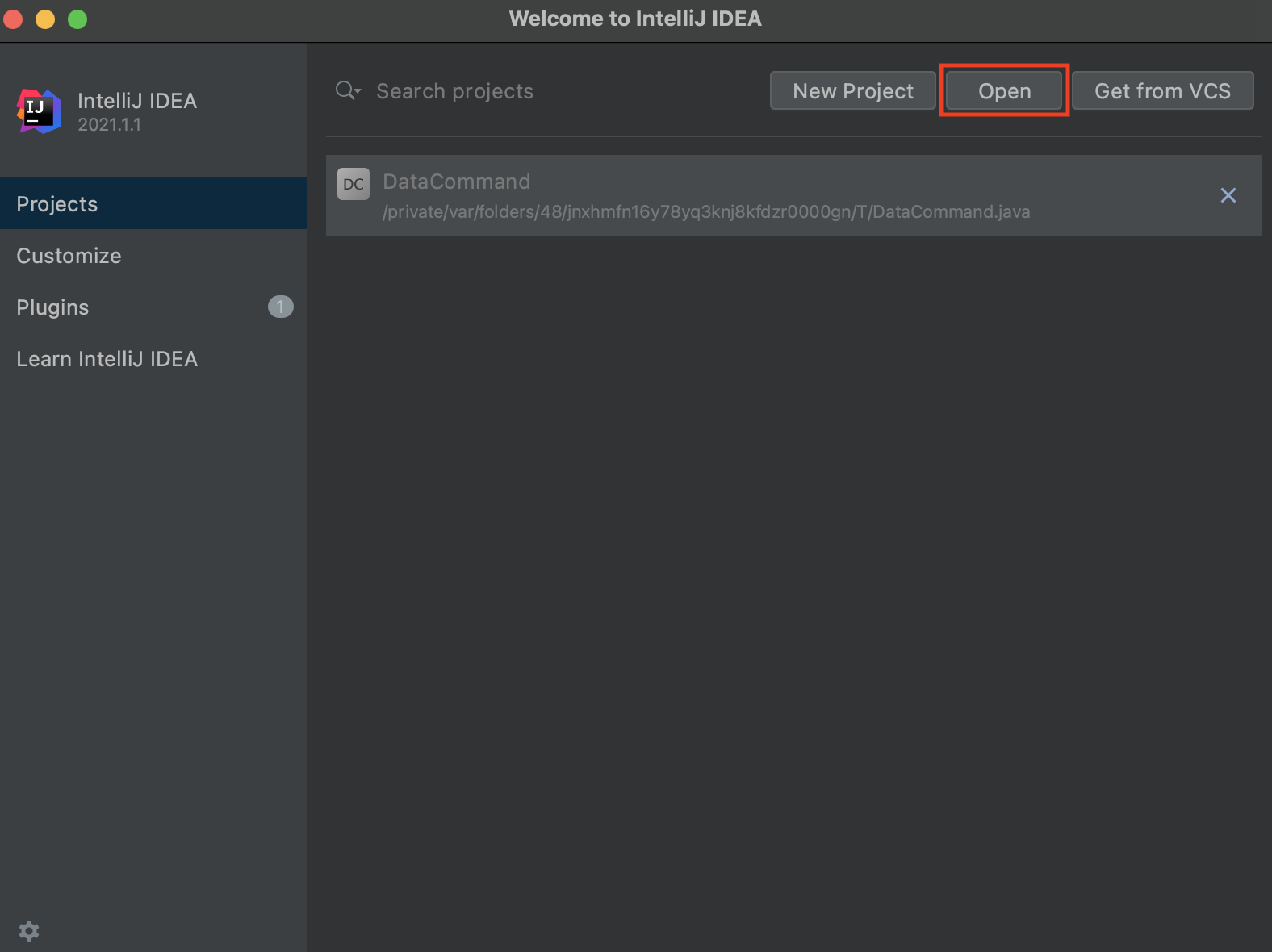
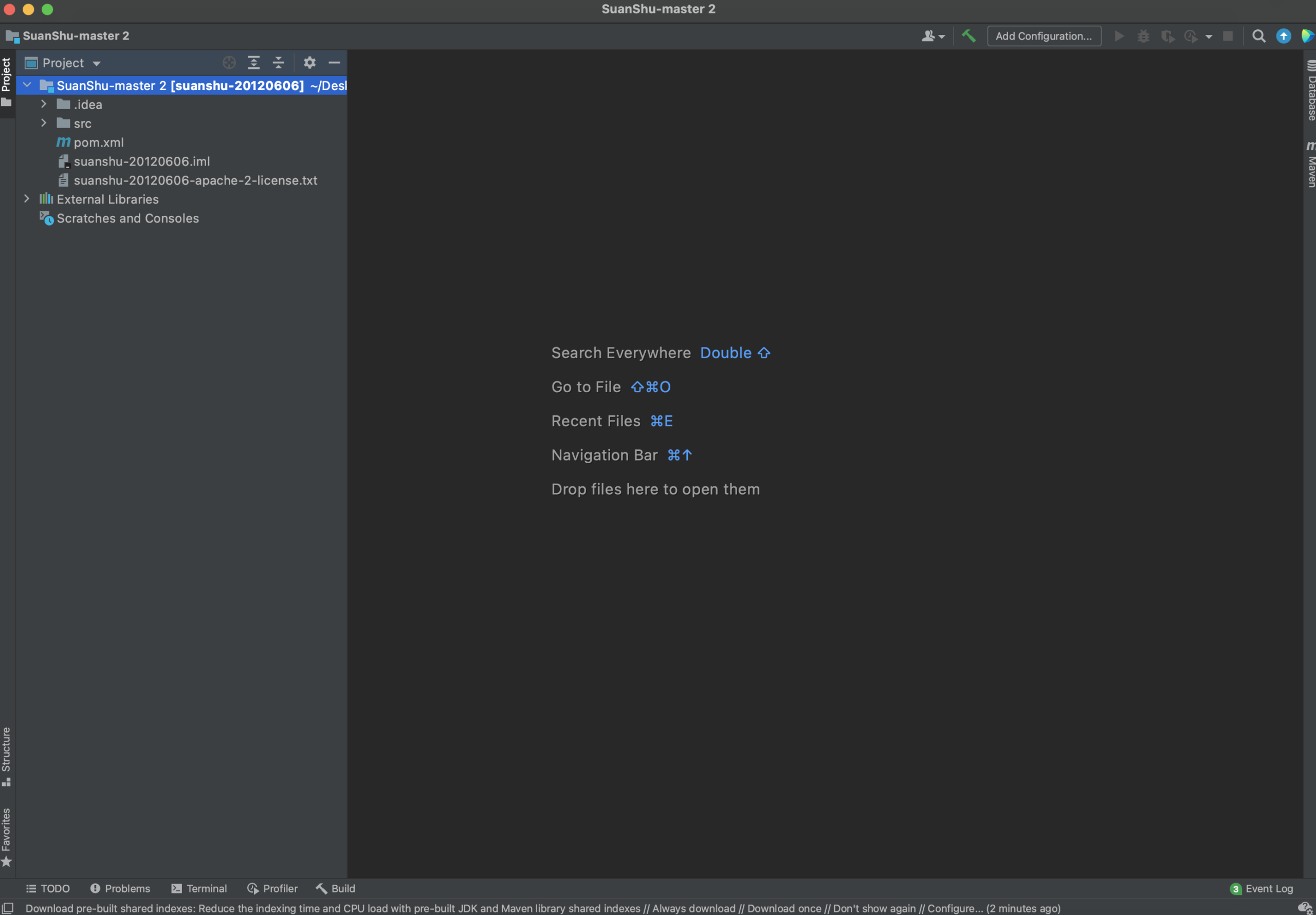
Navigate to the ‘SuanShu-master’ file > pom.xml and click “Open” > “Open as project”. Your IntelliJ IDEA window should look like this.
Click on “File” > “Project Structure”
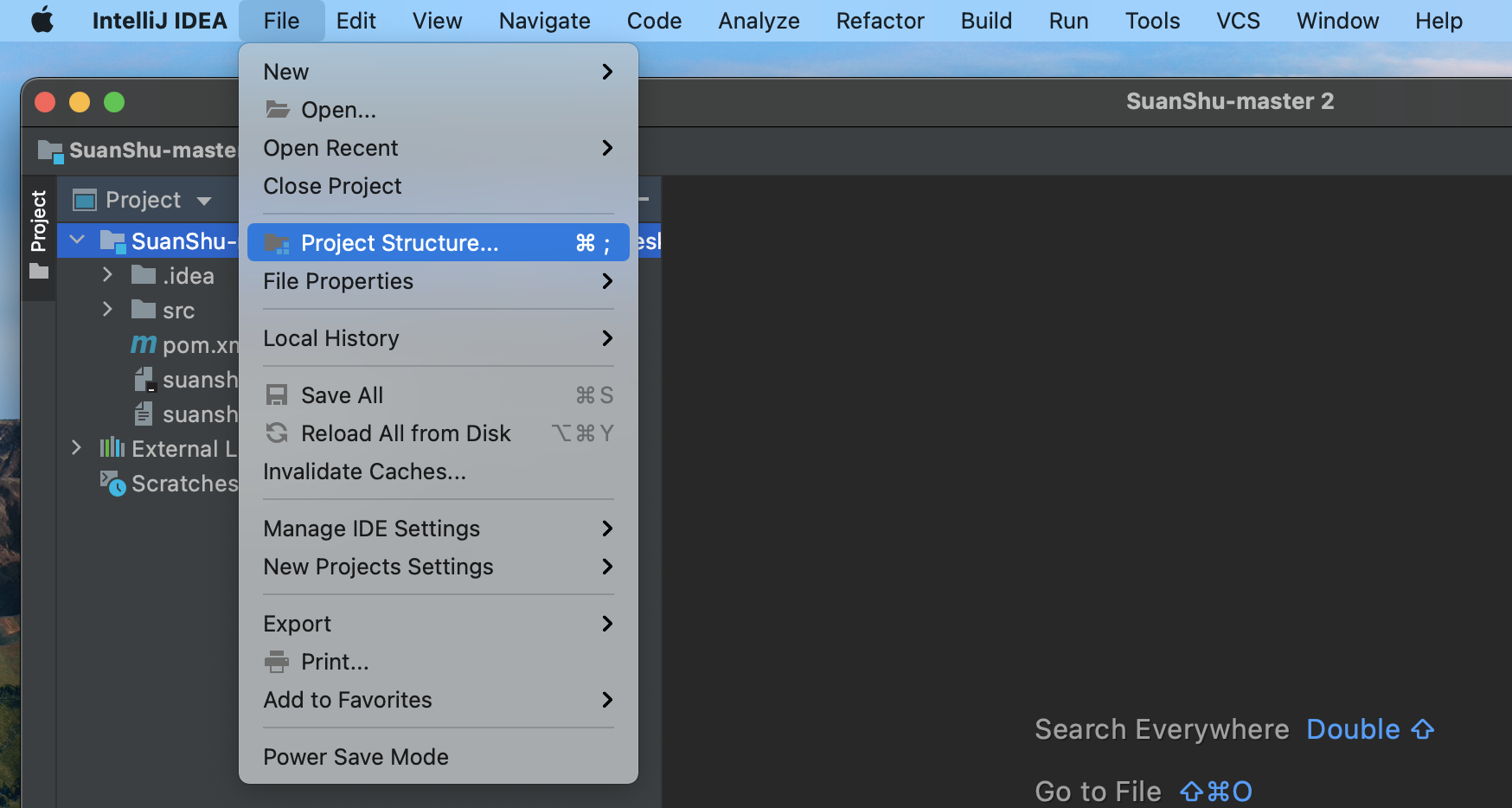
and ensure that your project SDK is set to your version of the JDK.
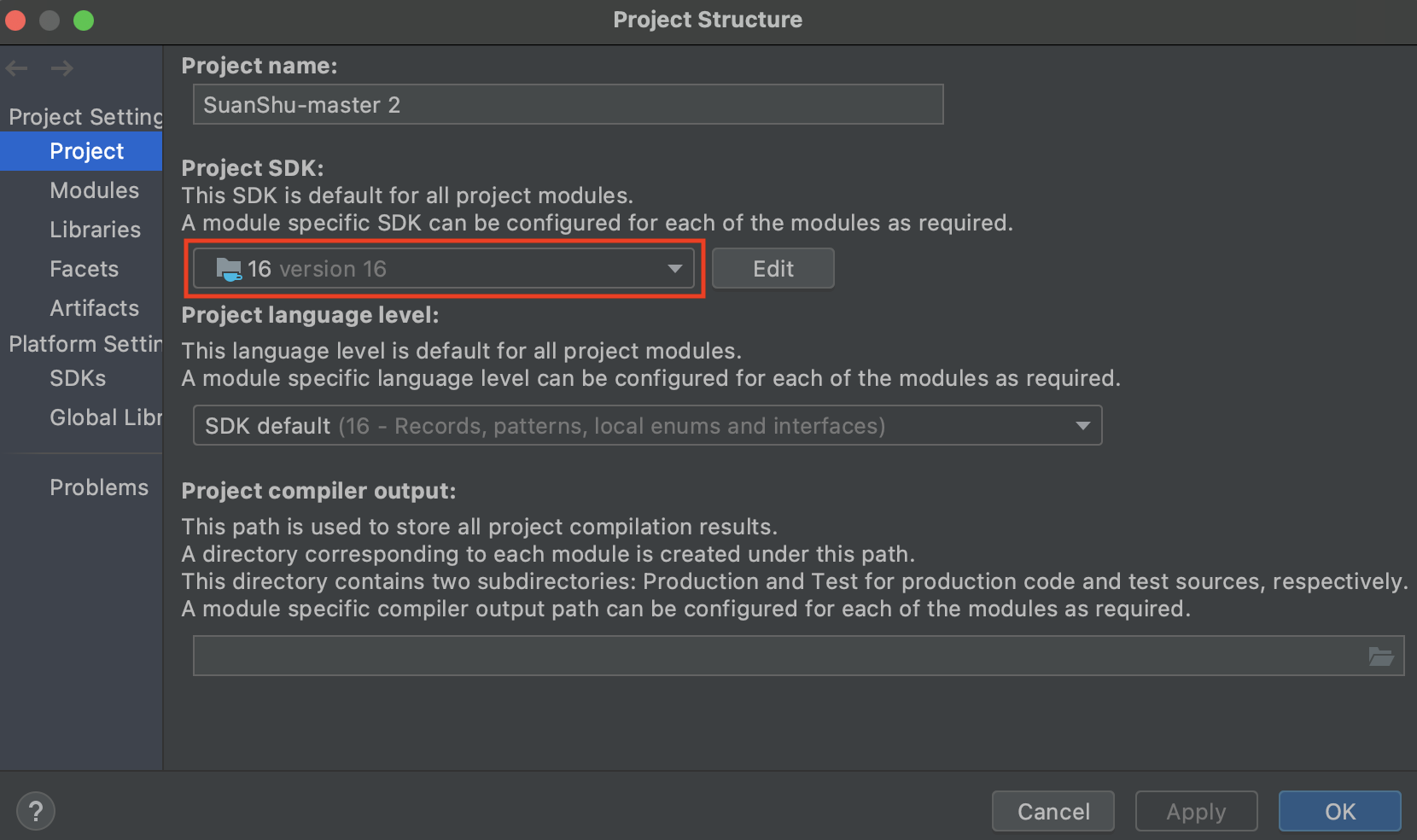
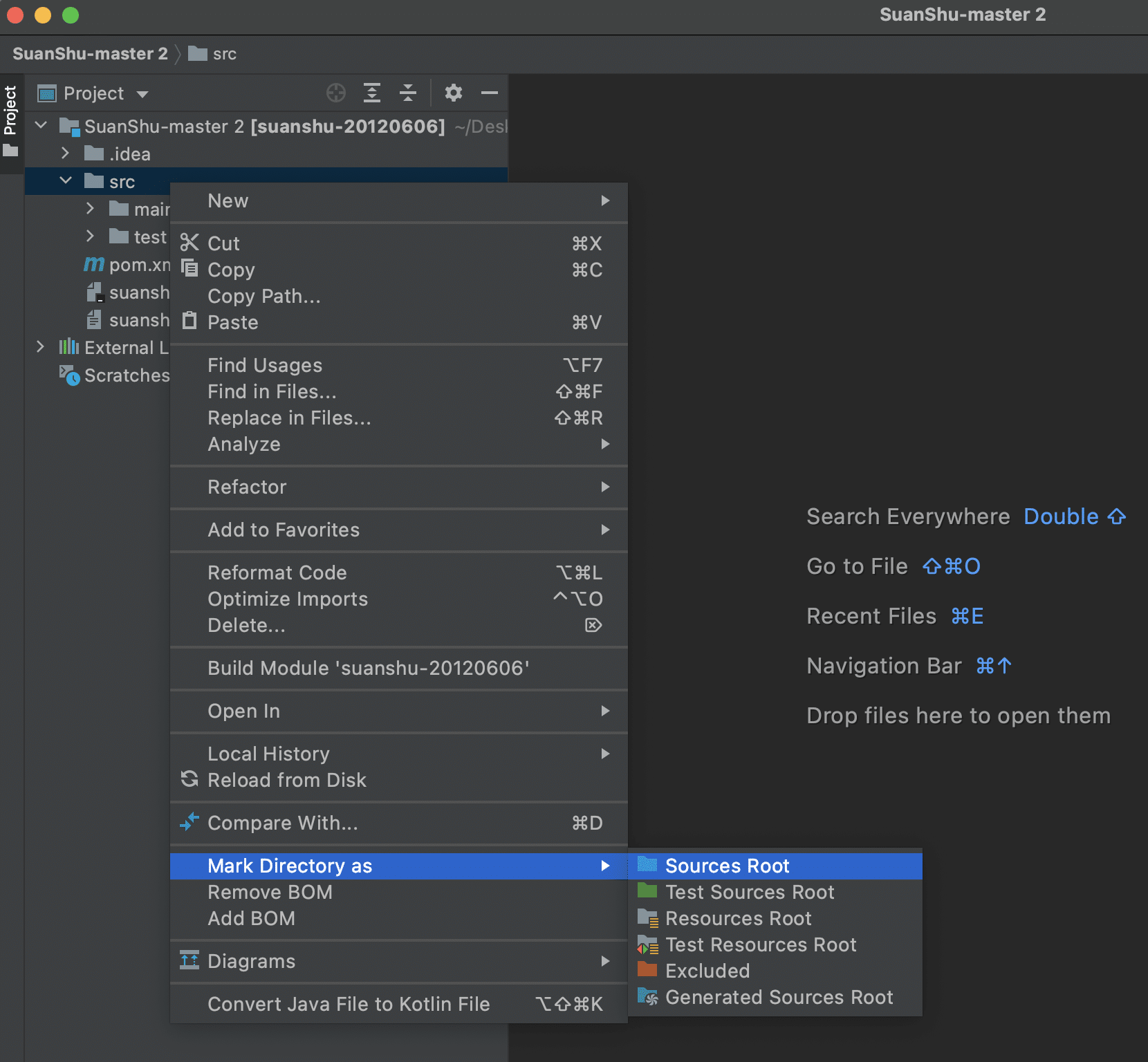
Next right click on the ‘src’ folder > “Mark Directory as” > “Sources root”
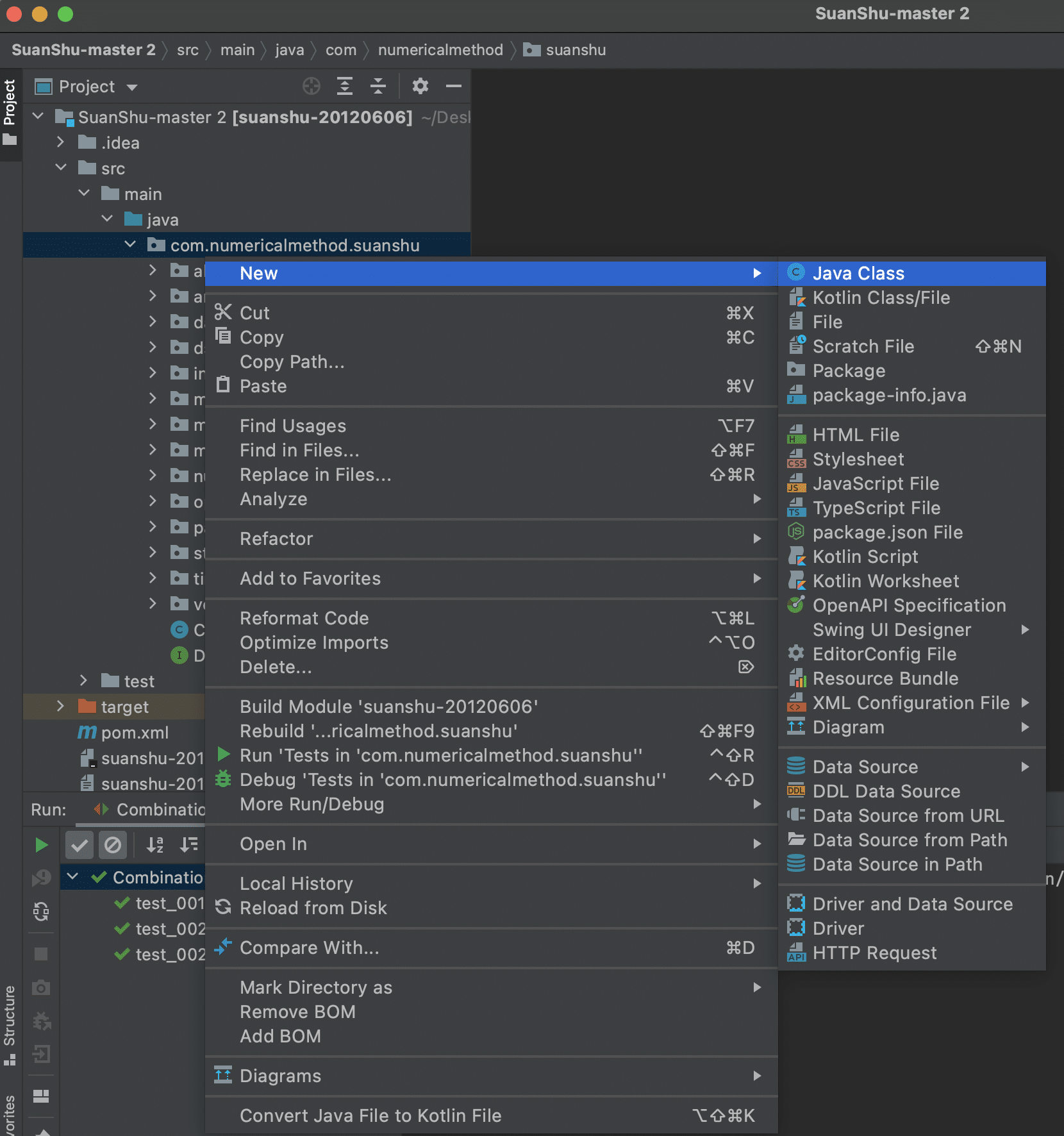
Then right click the ‘src’ > ‘main’ > ‘java’ > ‘com.numericalmethod.suanshu’ folder and click “New” > “Java Class”. Name this class “Main”.
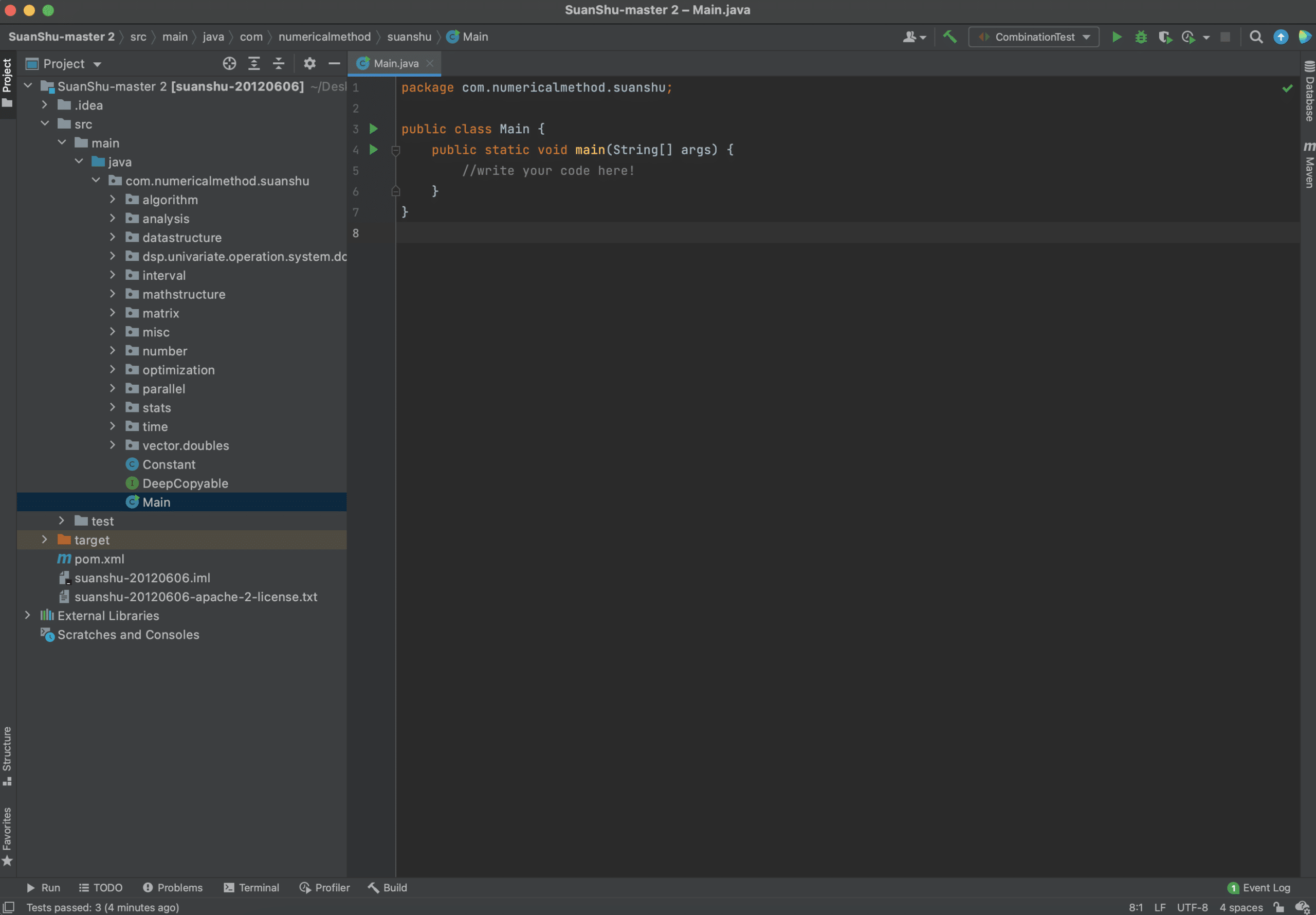
Create a main method and you are ready to use any of the classes in the SuanShu library!
Example: working with vectors
Here are some example uses of SuanShu. If you wanted to work with vectors, you could write
Vector v1 = new DenseVector(new double[]{1, 2, 3, 4, 5});
Vector v2 = v1.scaled(2.0);
System.out.print(v2);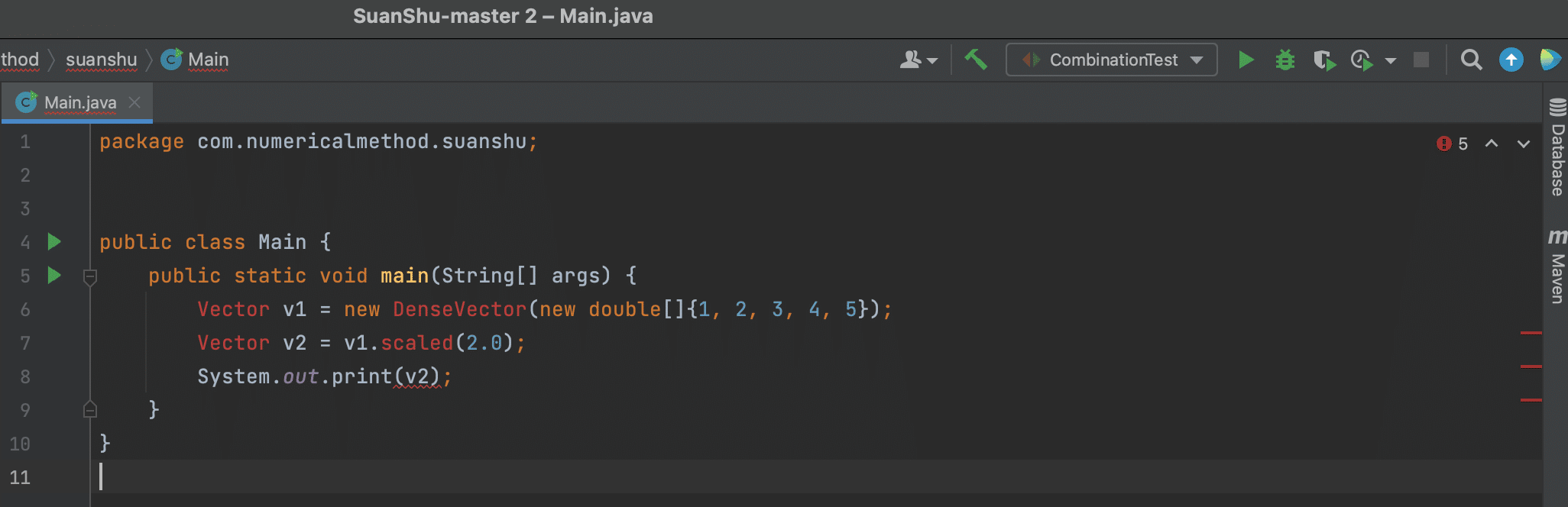
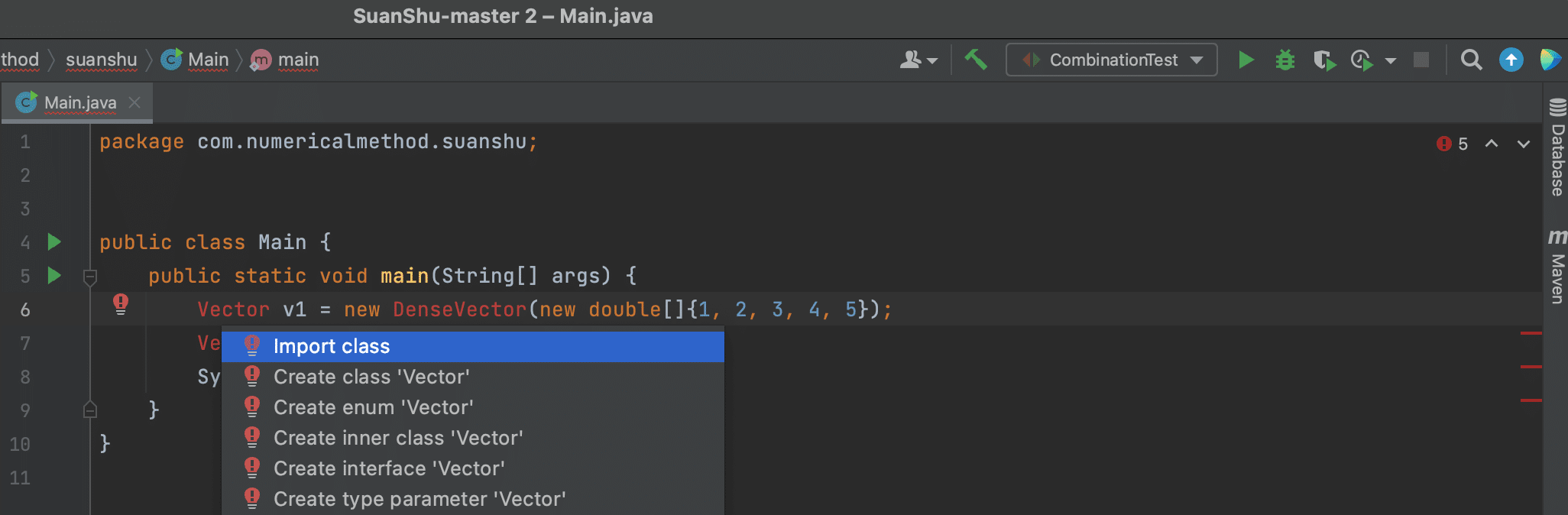
Hover over the red text and press option+return to see the available import options, then select the class you wish to import from and press return.
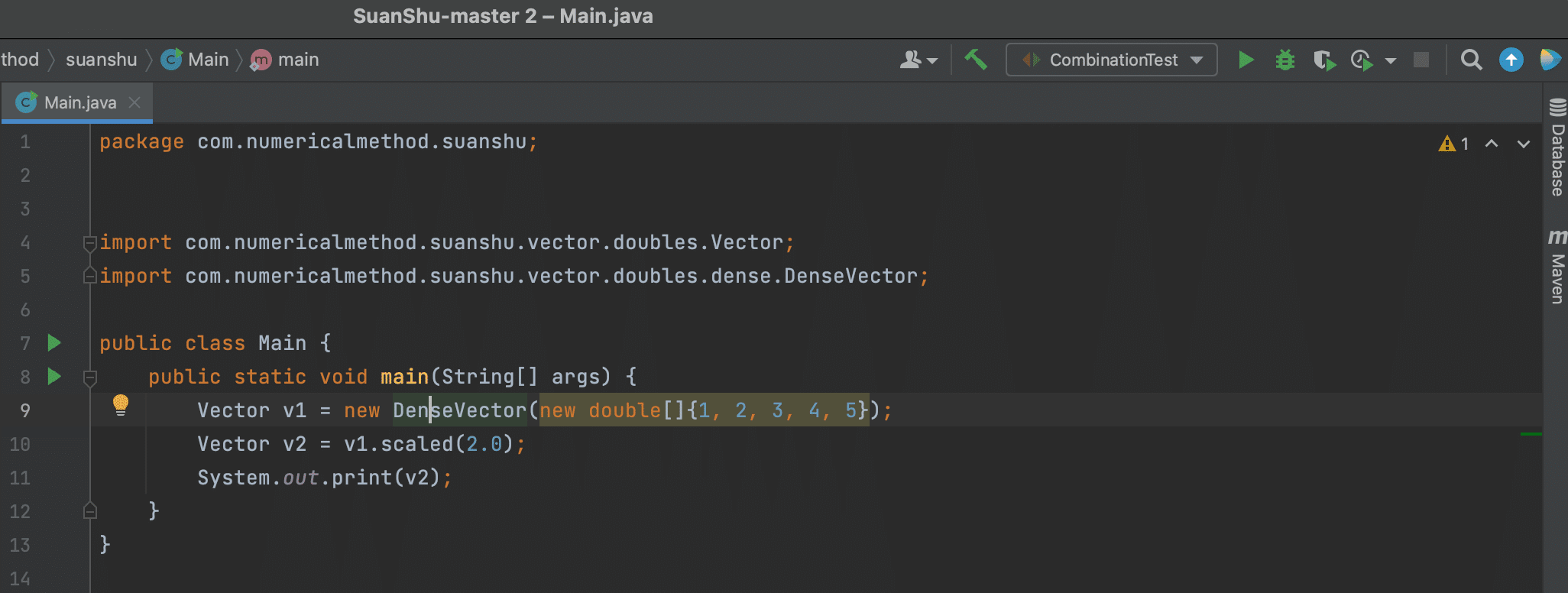
You will see that the import statements have been added in automatically.
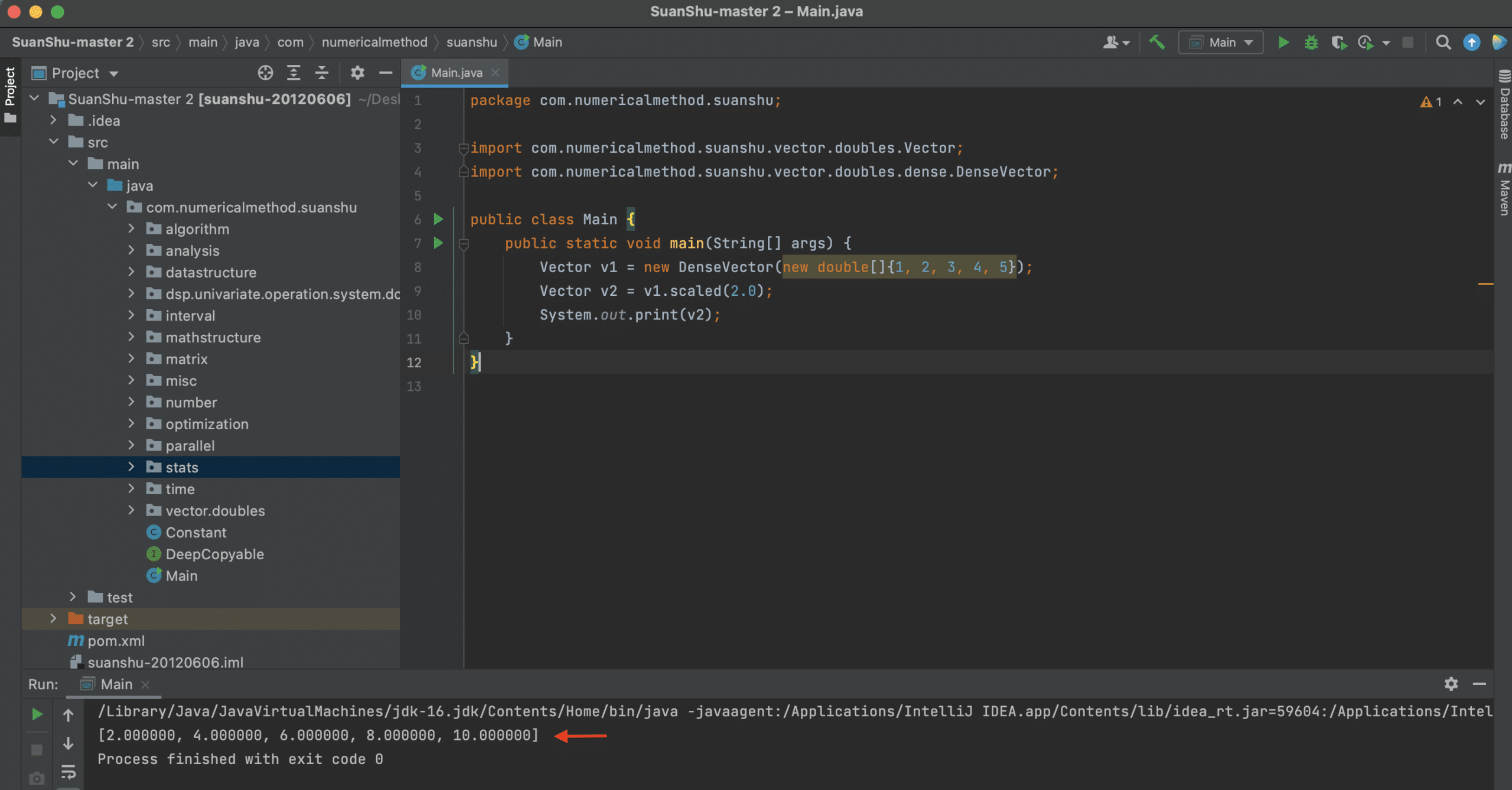
Now we can run our code by pressing the green play button (at line 7 in the above picture) and the output is shown at the bottom of the window.
You can find the available methods and syntax for any other operation you want to perform by reading through the file that contains your desired mathematical operations. If you want more examples of the SuanShu library, you can have a look at https://www.baeldung.com/suanshu .